Visualize your disk space in beautiful blocks.
TreeSize analyzes your directories instantly and generates interactive, squarified treemaps. Find massive files, clean up storage, and speed up your Mac.
treesize/
DirectoryDesigned for speed and elegance
APFS Parallel Scan
Built directly with Swift concurrency using TaskGroups to parallelize disk operations, achieving near-instant results on Apple Silicon SSDs.
Interactive Squarified Treemap
Visualizes your directories as proportional rectangles. Double-click to zoom in, select to reveal stats, and browse with fluid custom animations.
Safe Clean-up
Trash bulky folders and files securely from the sidebar interface, with native confirmation dialogs and immediate real-time treemap updates.
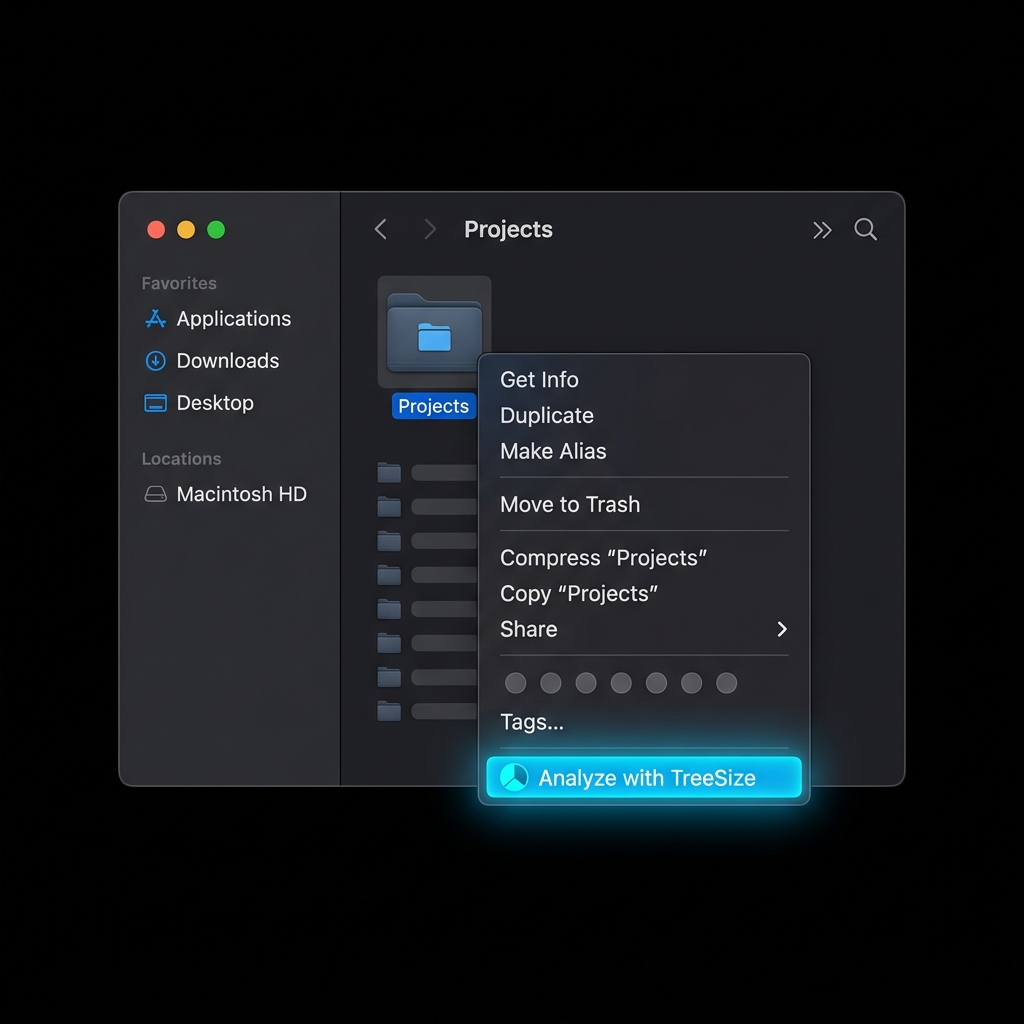
Right-Click to Analyze instantly
TreeSize integrates deeply into the macOS Finder. Analyze any directory in a split second without even opening the app first:
- Quick Action Service: Right-click any folder, go to Quick Actions (or Services), and choose Analyze with TreeSize to boot and scan immediately.
- Open With Menu: Right-click any directory, choose Open With, and select TreeSize to audit its size in a click.
- Finder Drag & Drop: Drag any folder directly from the Finder and drop it anywhere inside the TreeSize window to instantly re-focus the scan.
Launch from your Terminal
Integrate TreeSize perfectly into your development workflow. Type a single command followed by any folder path to launch the visualizer immediately.
During local installation, a symlink is automatically generated in /usr/local/bin/treesize to provide instant command-line utility.
# Analyze your current working directory
treesize .

# Audit heavy developer directories
treesize ~/Library/Developer/Xcode/DerivedData